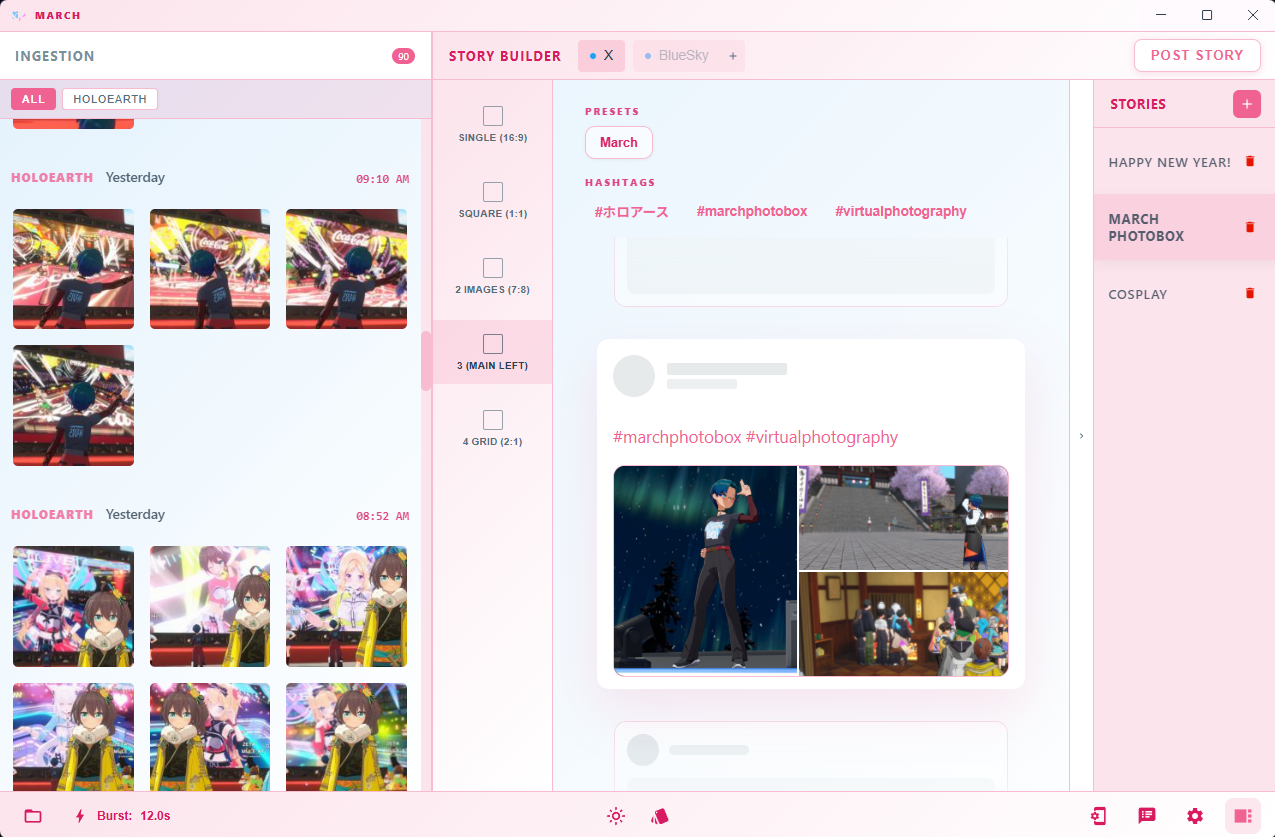
Share your moments using March Photobox.
Screenshot management for virtual photographers - Picking, editing, and sharing screencaps should be simple and easy. I built it for me, but I'm sure some of you out there sympathize with my struggles.
Previews & Labeling
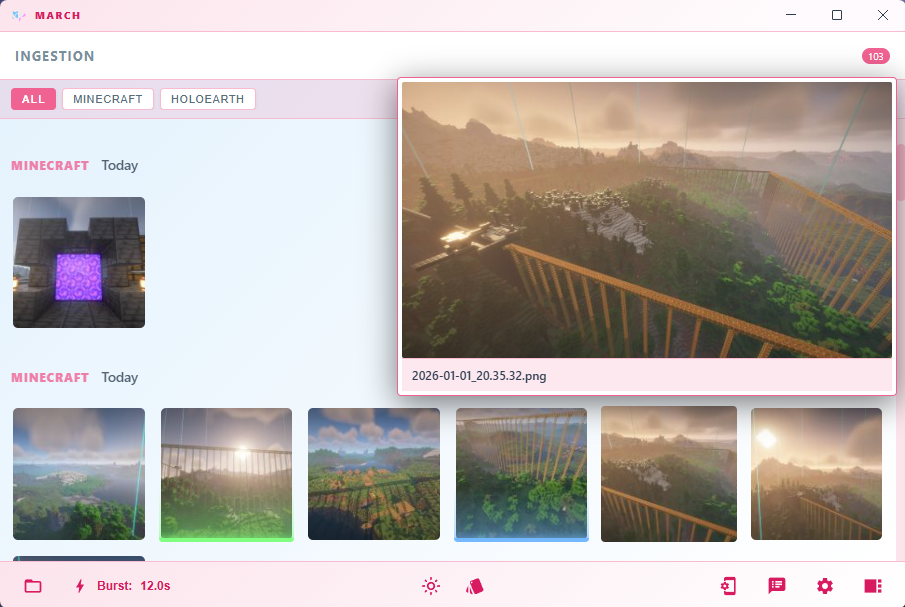
No matter if you want to get a closer look fast, or just want to remember which shots are the good ones, it should be easy and quick.
- visibility Hover image thumbnails for instant previews
- zoom_in Click for full-size lightbox, right click to dismiss
- label Quickly label with right-click, remove with hold-right
Social Media Planning
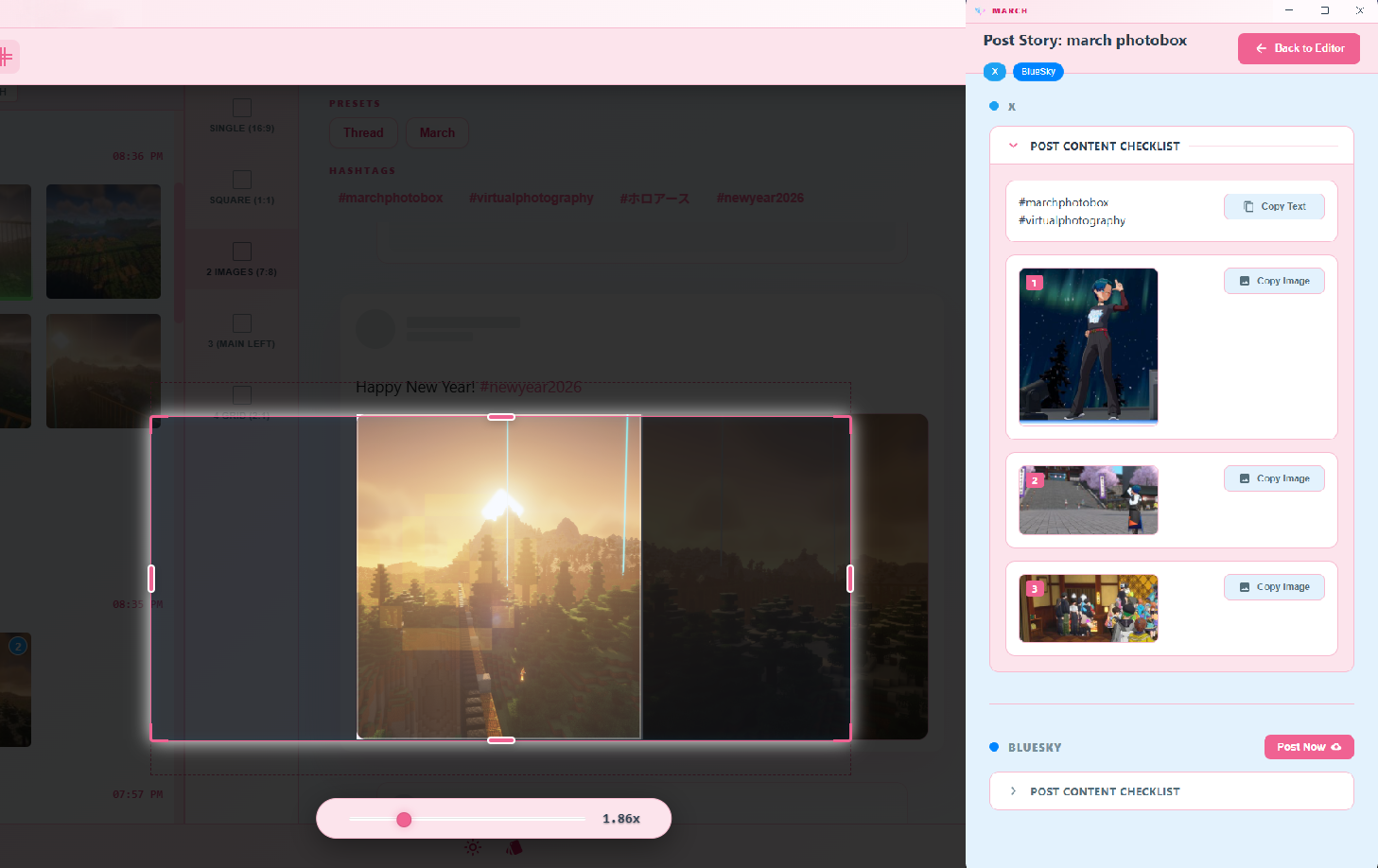
Plan your stories as you shoot, crop your images in-place to fit layout aspect ratios for social media like X and Bluesky. March assembles a drag & drop or copy/paste posting checklist, and can even post for some platforms.
- grid_view Platform-specific multi-image layouts (X, Bluesky, etc.)
- content_paste Preset text manager for that fancy formatting and emojis you search up every time.
- aspect_ratio In-place crop and quick hotkeyed slot assignment.
- checklist Posting checklist in the right order to assemble your posts super fast.
- send One-click posting for supported platforms.
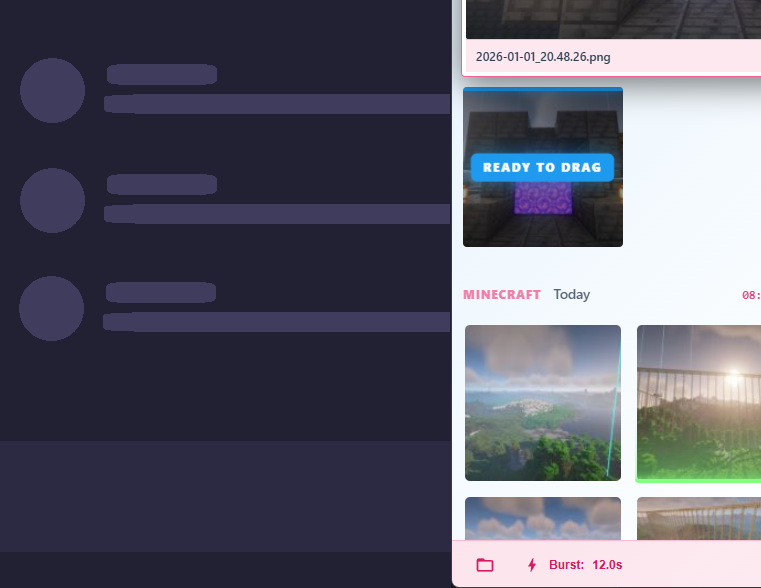
Hold, Drag & Drop Sharing
It's a small thing, but big for anyone who needs it. Hold left-click on any thumbnail to drag it into chat apps, your browser, or any external program.
- drag_pan Hold + Drag to share
- groups I actually use my own app, so you get my quality of life features